|
User manual for Barco F50 1080p 3D Multimedia Projector R9023222
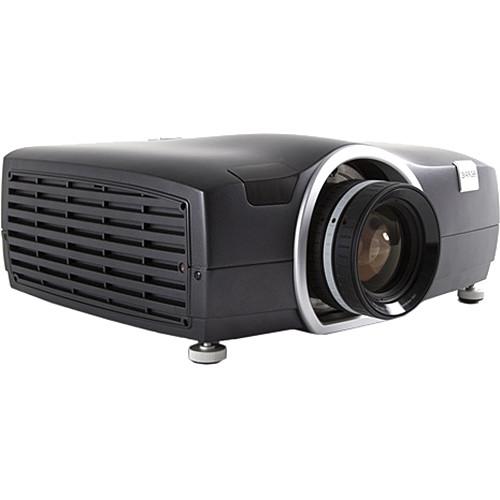
- Manufacturer: Barco
- Basic description and contents of package
- Product classification: A/V Presentation - Projectors - Multimedia Projectors
- Safety instructions
- Startup and operation of the multimedia projectors
- Tips for setting up your Barco
- Settings and expert assistance
- Contact Barco service
- Troubleshooting
- Warranty information
- Price: 11 USD
|
We recommend checking out our discussion threads on the Barco F50 1080p 3D Multimedia Projector R9023222,
which address similar problems with connecting and setting up Multimedia Projectors Barco.
|
User manual for the Barco F50 1080p 3D Multimedia Projector R9023222
The user manual for the Barco F50 1080p 3D Multimedia Projector R9023222 provides
necessary instructions for the proper use of the product A/V Presentation - Projectors - Multimedia Projectors.
The pearl white F50 1080p 3D Multimedia Projector with lens available separately from Barco is a professional 3D projector adaptable to a range of applications requiring 24/7 operation. Suitable fields include virtual reality, simulation and training, visitor attractions, collaboration suites and scientific visualization.
The projector features a brightness of up to 5500 lumens (depending on settings), and has a native resolution of 1080p. This is a 16:9 format. In addition to its native aspect ratio and resolution, through internal scaling the F50 can accommodate a wide range of formats, from 480p SD all the way up to 2560 x 1600.
The F50 features connectivity to accommodate a variety of sources. There are two DisplayPort 1.2 inputs, plus one DVI-DL and one HDMI input. For analog computer graphics or integration with existing A/V systems, there is a VGA port. For professional digital video sources, there are two 3G-SDI ports. Finally, for long-run HDTV signals there is one HDBaseT Ethernet port.
For remote operation, there is an Ethernet port that enables control across a local network, and there is an RS-232 port for integration with automation systems such as Crestron. A USB port enables direct operation from a computer.
|
If you own a Barco multimedia projectors and have a user manual in electronic form,
you can upload it to this website using the link on the right side of the screen.
You can upload and download the manual for the Barco F50 1080p 3D Multimedia Projector R9023222 in the following formats:
- *.pdf, *.doc, *.txt, *.jpg - Other formats are unfortunately not supported.
|
Additional parameters of the Barco F50 1080p 3D Multimedia Projector R9023222:
| Native Resolution | PC: Full HD - 1920 x 1080 | | Supported Resolutions | Full HD 1080p | | HDTV Compatibility | 1920 x 1080p
1920 x 1080i
1280 x 720p | | Pixels | Not Specified By Manufacturer | | Brightness | High Brightness Mode: 5500 Lumens | | Uniformity | >80% | | Aspect Ratio | Native: 16:9 | | Contrast Ratio | 5300:1 | | DLP Link 3D | Yes | | Supported 3D Formats | Not Specified By Manufacturer | | Inputs/Outputs | 1x RS-232C Control (Input)
1x Ethernet Control (Input)
1x USB Control (Input)
2x BNC Control (Input)
1x 15-pin VGA Video (Input)
2x DisplayPort Video (Input)
1x DVI-D Video (Input)
1x HDMI Video (Input)
1x 15-pin VGA Video (Input)
2x 3G-SDI Video (Input) | | Lamp (Bulb) | 1x UHP | | Watts | 350 W | | Life | Normal Mode: 2000 Hours
Eco Mode: 2500 Hours | | Maximum Pixel Clock | 600 MHz | | Remote Control | Yes | | Power Requirements | 100-240 VAC | | Heat Dissipation | 1807 BTU | | Power Consumption | Normal Mode: <530 W | | Temperature | Operating
50 to 104°F (10 to 40°C)
Humidity: 20 - 80%
Storage
-4 to 140°F (-20 to 60°C)
Humidity: 10 - 90% | | Dimensions (WxHxD) | 13.5 x 12.0 x 6.0" / 34.3 x 30.5 x 15.2 cm | | Weight | 16.5 lb / 7.48 kg | |
The user manual for the Barco F50 1080p 3D Multimedia Projector R9023222 can be downloaded in .pdf
format if it did not come with your new multimedia projectors, although the seller is
required to supply one. It is also quite common that customers throw out
the user manual with the box, or put the CD away somewhere and then can’t find it.
That’s why we and other Barco users keep a unique electronic library
for Barco multimedia projectorss,
where you can use our link to download the user manual for the Barco F50 1080p 3D Multimedia Projector R9023222.
The user manual lists all of the functions of the Barco F50 1080p 3D Multimedia Projector R9023222,
all the basic and advanced features and tells you how to use the multimedia projectors.
The manual also provides troubleshooting for common problems. Even greater
detail is provided by the service manual, which is not typically shipped with the product,
but which can often be downloaded from Barco service.
If you want to help expand our database, you can upload a link to this website
to download a user manual or service manual, ideally in .pdf format. These pages
are created by you – users of the Barco F50 1080p 3D Multimedia Projector R9023222. User manuals are also
available on the Barco website under A/V Presentation - Projectors - Multimedia Projectors.
 Question and answer discussion forum concerning user instructions and resolving problems with the Barco F50 1080p 3D Multimedia Projector R9023222 - no comments have been made yet - be the first to add a comment
Post new comment/question/response regarding the Barco F50 1080p 3D Multimedia Projector R9023222
|
|
|
|
|

