|
User manual for LG UF8500 Series 65"-Class 4K Smart 3D IPS LED TV 65UF8500

Overall Rating: 5.0
100% of respondents would recommend this to a friend.
- Manufacturer: LG
- Basic description and contents of package
- Product classification: TVs & Entertainment - Televisions
- Safety instructions
- Startup and operation of the televisions
- Tips for setting up your LG
- Settings and expert assistance
- Contact LG service
- Troubleshooting
- Warranty information
Click to enlarge image
|
We recommend checking out our discussion threads on the LG UF8500 Series 65"-Class 4K Smart 3D IPS LED TV 65UF8500,
which address similar problems with connecting and setting up Televisions LG.
|
User manual for the LG UF8500 Series 65"-Class 4K Smart 3D IPS LED TV 65UF8500
The user manual for the LG UF8500 Series 65"-Class 4K Smart 3D IPS LED TV 65UF8500 provides
necessary instructions for the proper use of the product TVs & Entertainment - Televisions.
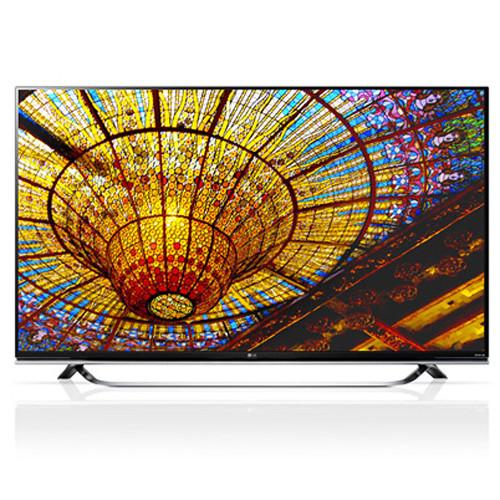
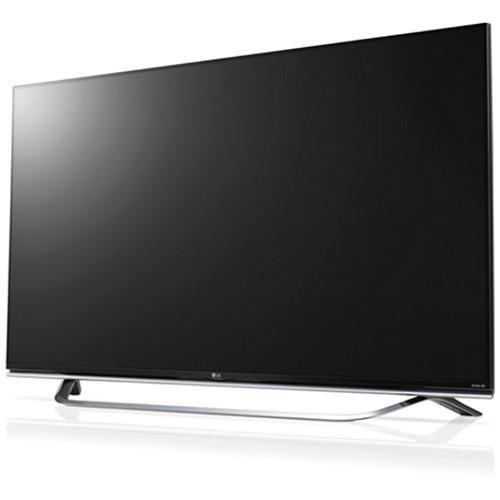
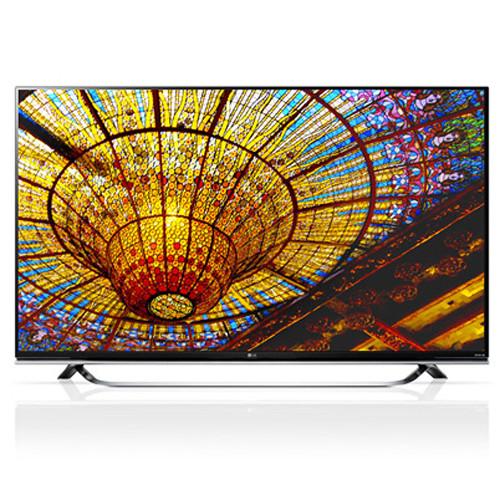
The LG UF8500 Series 65"-Class 4K Smart 3D IPS LED TV delivers 3D images, Internet content, and Ultra HD images on an expansive display. This model's 3840 x 2160 native resolution allows you to enjoy vivid and life-like image quality. This TV is endowed with a 65-class IPS LED display and incorporates LG TruMotion 240 Hz technology and a 120 Hz native refresh rate to combat distortion on fast-moving images. It also feature's LG's Triple XD video processing engine for optimized image quality. As a smart TV, this model has Ethernet and Wi-Fi connectivity, which allows you to browse LG's webOS 2.0 user interface.
For connecting multiple high-definition sources, this TV is equipped with 3 USB 2.0 and 3 HDMI inputs. It has also has a component video input that doubles as a standard composite video interface for connecting lower resolution sources. Additionally, this TV has two built-in speakers for a combined 20W of audio power, and a digital optical interface for connecting to external audio systems. In addition to the inclusion of LG's microphone-equipped LG Magic Remote, the UF8500 series includes two pairs of 3D glasses.
|
If you own a LG televisions and have a user manual in electronic form,
you can upload it to this website using the link on the right side of the screen.
You can upload and download the manual for the LG UF8500 Series 65"-Class 4K Smart 3D IPS LED TV 65UF8500 in the following formats:
- *.pdf, *.doc, *.txt, *.jpg - Other formats are unfortunately not supported.
|
Additional parameters of the LG UF8500 Series 65"-Class 4K Smart 3D IPS LED TV 65UF8500:
| Screen Size (Diagonal) | 64.5" | | Panel Type | IPS LED | | Pixel Resolution | 3840 x 2160 | | Refresh Rate | 120 Hz | | Sound | Stereo | | Power | 20 W | | Dolby Digital | Yes | | Inputs/Outputs | 1x RF Antenna In (Rear)
1x RCA Component Video In (Rear)
1x RCA Composite Video In (Rear)
1x RCA Stereo (L/R) Audio In (Rear)
1x TOSLINK Audio Out (Rear)
3x HDMI Audio/Video In (Side)
1x USB 3.0 Audio/Video/Photo In (Side)
2x USB 2.0 Audio/Video/Photo In (Side)
1x Ethernet LAN In/Out (Rear)
1x RS-232C Control In/Out (Rear) | | Media Player | AAC
AC3
DTS
DivX HD
EAC3
HE-AAC
JPEG
MP3
MPO
PCM
WMA | | Digital Media Slot | None | | Wi-Fi | Built-in | | Remote Control | Yes | | Wall Mounting | Not Specified By Manufacturer | | Power Requirements | 100-240 VAC, 50/60 Hz | | Power Consumption | Standby: 0.3 W | | Energy Star Compliant | Yes | | Dimensions (WxHxD) | 57.2 x 33.5 x 2.0" / 145.3 x 85.1 x 5.1 cm Without Stand
57.2 x 35.6 x 10.9" / 145.3 x 90.4 x 27.7 cm With Stand | | Weight | 69.0 lb / 31.30 kg Without Stand
72.2 lb / 32.75 kg With Stand | | Package Weight | 85.0 lb | | Box Dimensions (LxWxH) | 63.0 x 37.3 x 5.7" | |
The user manual for the LG UF8500 Series 65"-Class 4K Smart 3D IPS LED TV 65UF8500 can be downloaded in .pdf
format if it did not come with your new televisions, although the seller is
required to supply one. It is also quite common that customers throw out
the user manual with the box, or put the CD away somewhere and then can’t find it.
That’s why we and other LG users keep a unique electronic library
for LG televisionss,
where you can use our link to download the user manual for the LG UF8500 Series 65"-Class 4K Smart 3D IPS LED TV 65UF8500.
The user manual lists all of the functions of the LG UF8500 Series 65"-Class 4K Smart 3D IPS LED TV 65UF8500,
all the basic and advanced features and tells you how to use the televisions.
The manual also provides troubleshooting for common problems. Even greater
detail is provided by the service manual, which is not typically shipped with the product,
but which can often be downloaded from LG service.
If you want to help expand our database, you can upload a link to this website
to download a user manual or service manual, ideally in .pdf format. These pages
are created by you – users of the LG UF8500 Series 65"-Class 4K Smart 3D IPS LED TV 65UF8500. User manuals are also
available on the LG website under TVs & Entertainment - Televisions.
 Question and answer discussion forum concerning user instructions and resolving problems with the LG UF8500 Series 65"-Class 4K Smart 3D IPS LED TV 65UF8500 - no comments have been made yet - be the first to add a comment
Post new comment/question/response regarding the LG UF8500 Series 65"-Class 4K Smart 3D IPS LED TV 65UF8500
|
|
|
|
|

