|
User manual for Netgear C6300-100NAS Dual Band Wireless-AC1750 C6300-100NAS

Overall Rating: 4.5
90% of respondents would recommend this to a friend.
- Manufacturer: Netgear
- Basic description and contents of package
- Product classification: Computers & Solutions - Networking - Wireless Routers
- Safety instructions
- Startup and operation of the wireless routers
- Tips for setting up your Netgear
- Settings and expert assistance
- Contact Netgear service
- Troubleshooting
- Warranty information
- Price: 180 USD
|
We recommend checking out our discussion threads on the Netgear C6300-100NAS Dual Band Wireless-AC1750 C6300-100NAS,
which address similar problems with connecting and setting up Wireless Routers Netgear.
|
User manual for the Netgear C6300-100NAS Dual Band Wireless-AC1750 C6300-100NAS
The user manual for the Netgear C6300-100NAS Dual Band Wireless-AC1750 C6300-100NAS provides
necessary instructions for the proper use of the product Computers & Solutions - Networking - Wireless Routers.
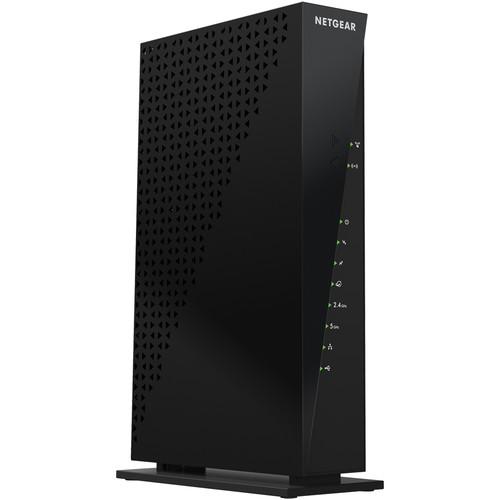
The C6300-100NAS Dual Band Wireless-AC1750 Wi-Fi Cable Modem Router from NETGEAR eliminates the need for a separate cable modem and router. This single device contains an integrated CableLabs certified DOCSIS 3.0 modem along with a 4-port Gigabit Ethernet 802.11ac Wi-Fi router. By combining the cable modem with the router you no longer need to purchase a separate router or rent a cable modem from the cable company.
With dual band Wi-Fi connectivity the C6300 from NETGEAR operates on both the 2.4 GHz and 5 GHz frequencies effectively eliminating most of the interference experienced with traditional 2.4 GHz wireless routers. In addition to dual band functionality, this router features 802.11ac connectivity for a total bandwidth of up to 1750 Mbps. You can also connect Ethernet enabled devices to any of the four Gigabit Ethernet ports for a reliable wired connection. In addition to the four Gigabit Ethernet ports, you will find a single USB 2.0 port on the back of the router allowing you to connect devices such as external hard drives making your files accessible throughout your network.
|
If you own a Netgear wireless routers and have a user manual in electronic form,
you can upload it to this website using the link on the right side of the screen.
You can upload and download the manual for the Netgear C6300-100NAS Dual Band Wireless-AC1750 C6300-100NAS in the following formats:
- *.pdf, *.doc, *.txt, *.jpg - Other formats are unfortunately not supported.
|
Additional parameters of the Netgear C6300-100NAS Dual Band Wireless-AC1750 C6300-100NAS:
| Network Standards | IEEE 802.11a/b/g/n/ac | | Frequencies | 2.4 GHz / 5 GHz | | Modem | CableLabs certified DOCSIS 3.0 Modem | | Performance | AC1750 (450 Mbps + 1300 Mbps) | | Ethernet Ports | 4 x 10/100/1000 LAN Gigabit Ethernet ports with auto-sensing technology | | USB Ports | 1 x USB 2.0 port | | Memory | Flash: 128 MB
RAM: 256 MB | | IPv6 Support | Yes | | Security | Wi-Fi Protected Access (WPA/WPA2-PSK)
Double firewall protection (SPI and NAT firewall)
Denial-of-Service (DoS) attack prevention
Push 'N' Connect-Easy push button Wi-Fi connections (WPS) | | System Requirements | Cable broadband Internet service
Microsoft Windows 7, 8, Vista, XP, 2000, Mac OS, or other operating systems running a TCP/IP network
Microsoft Internet Explorer 5.0, Firefox 2.0, Safari 1.4, or Google Chrome 11.0 browsers or higher
Use laptop with 3 x 3 450 Mbps adapter like Centrino 6300/5300 for maximum performance
Use with an 802.11ac adapter for maximum performance | | Dimensions | 10.94 x 6.85 x 2.96" / 27.79 x 17.40 x 7.52 cm | | Weight | 1.52 lb / 0.69 kg | | Package Weight | 2.95 lb | | Box Dimensions (LxWxH) | 12.1 x 10.5 x 3.6" | |
The user manual for the Netgear C6300-100NAS Dual Band Wireless-AC1750 C6300-100NAS can be downloaded in .pdf
format if it did not come with your new wireless routers, although the seller is
required to supply one. It is also quite common that customers throw out
the user manual with the box, or put the CD away somewhere and then can’t find it.
That’s why we and other Netgear users keep a unique electronic library
for Netgear wireless routerss,
where you can use our link to download the user manual for the Netgear C6300-100NAS Dual Band Wireless-AC1750 C6300-100NAS.
The user manual lists all of the functions of the Netgear C6300-100NAS Dual Band Wireless-AC1750 C6300-100NAS,
all the basic and advanced features and tells you how to use the wireless routers.
The manual also provides troubleshooting for common problems. Even greater
detail is provided by the service manual, which is not typically shipped with the product,
but which can often be downloaded from Netgear service.
If you want to help expand our database, you can upload a link to this website
to download a user manual or service manual, ideally in .pdf format. These pages
are created by you – users of the Netgear C6300-100NAS Dual Band Wireless-AC1750 C6300-100NAS. User manuals are also
available on the Netgear website under Computers & Solutions - Networking - Wireless Routers.
 Question and answer discussion forum concerning user instructions and resolving problems with the Netgear C6300-100NAS Dual Band Wireless-AC1750 C6300-100NAS - no comments have been made yet - be the first to add a comment
Post new comment/question/response regarding the Netgear C6300-100NAS Dual Band Wireless-AC1750 C6300-100NAS
|
|
|
|
|

